LemonTrades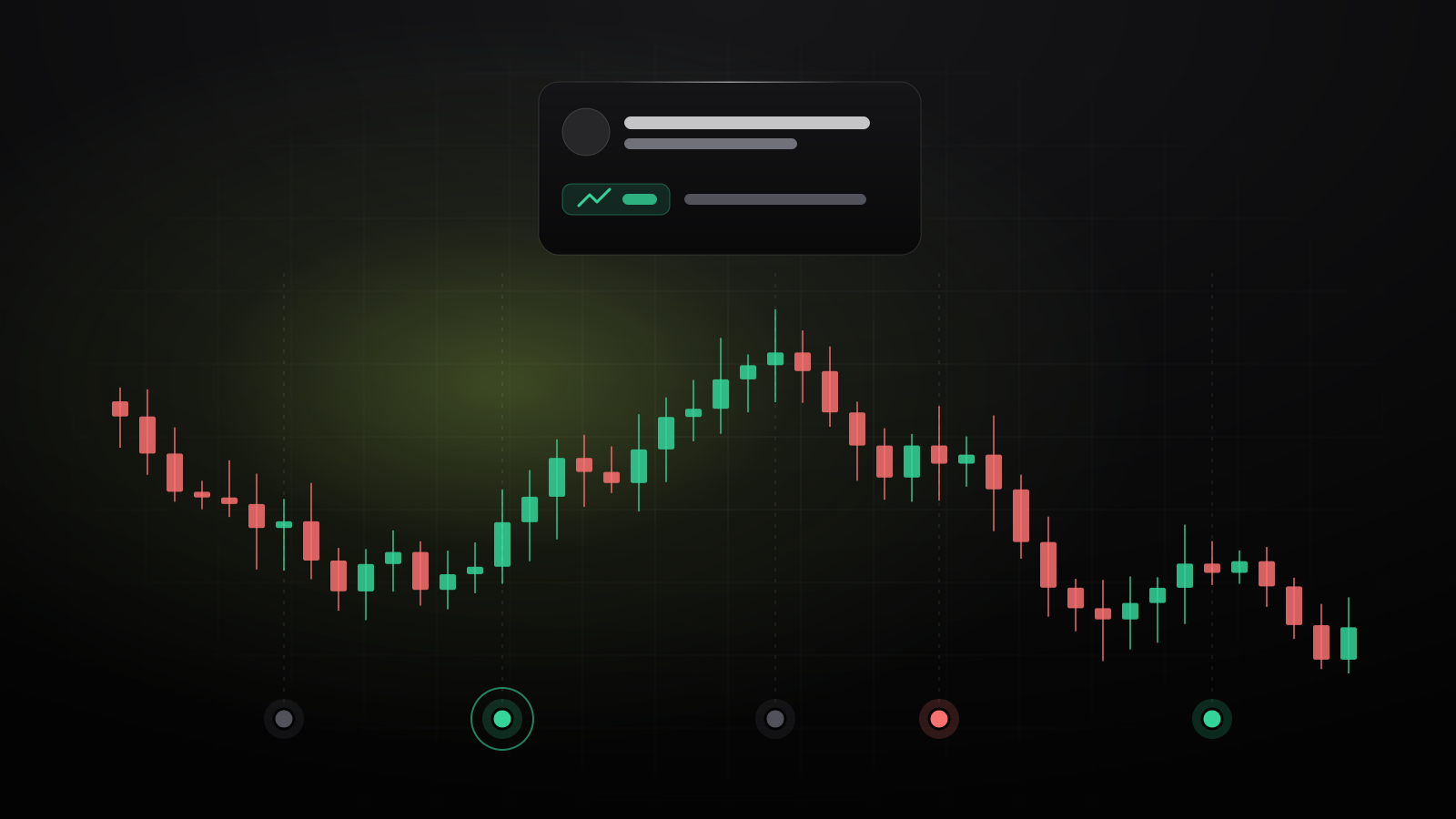
A chart tells you that gold fell. It doesn’t tell you why. The new Charts page puts the news on the chart, so you can see what moved each of your markets.
The news, on the chart
Open Charts and pick any of your markets. You get a candlestick chart of the last day in 5-minute bars, or the last week in 30-minute bars, built from the desk’s own price log.
Under the candles, every alert and every bigger headline on that market is a dot. The color says what the price did next:
- Green: it rose, from just before the news to 30 minutes after.
- Red: it fell.
- Gray: it barely moved, staying inside a third of what counts as a spike for that market.
If the market was closed when the news broke, the 30 minutes start when trading resumes. For a price spike alert, the dot shows the 15 minutes that set it off.
Hover for the story
Hover over a dot, or tap it on your phone, and you get the headline, why it matters for that market, and the move in plain words. Want more? Ask Twan why sends the question straight to Twan.
Below the chart is the day’s news in order, followed by the biggest moves, so you can scan what happened without hunting for dots.
A face for every story
Each piece of news now has a small round picture of who or what it’s about: a central banker, a country’s flag, a company. Like a prediction market’s cards, it lets you tell stories apart at a glance. The pictures come from Wikipedia.
Full screen
Press the full screen button, or F, for a chart that fills the screen. Esc brings you back.
Timing, not proof. A dot shows what the price did after the news, not that the news caused it. Markets move for many reasons at once.